VPN Alternatives: dVPNs, Proxies, TOR, and more
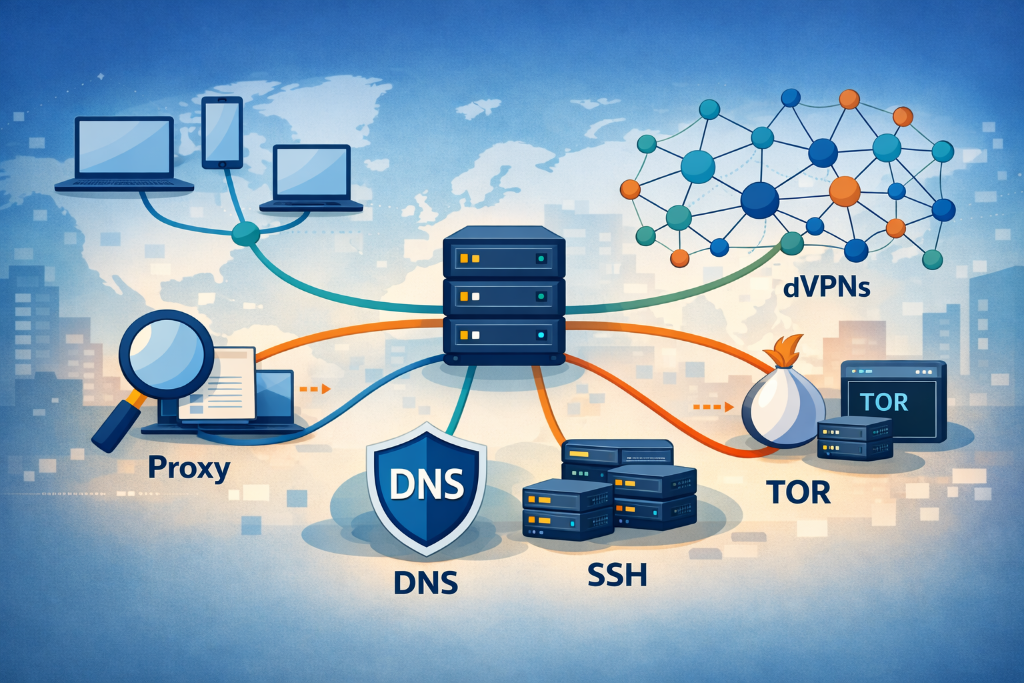
VPNs are no longer the default answer to online privacy. As tracking grows more sophisticated, streaming platforms block known VPN traffic, and trust in providers erodes, many users are questioning whether VPNs still deliver what they promise. From decentralized networks to Tor, proxies, and DNS tools, a new set of alternatives has emerged, each solving different problems in different ways. This guide breaks down the most viable VPN alternatives, where they excel, and where they fall short.

Key takeaways
- VPNs encrypt traffic, but they do not prevent malware, endpoint compromise, or advanced tracking techniques.
- dVPNs reduce reliance on trust by removing centralized servers and making large scale logging technically impractical.
- Tools like Tor, proxies, and DNS resolvers solve specific problems, but none are universal VPN replacements.
- Choosing the right alternative depends on whether privacy, speed, censorship resistance, or ease of use matters most.
Virtual Private Networks (VPNs) are designed to provide secure, remote access to a network. They do so by creating an encrypted connection between the client and a VPN gateway within an enterprise network. In theory, this protects the end-user against snooping and eavesdropping.
However, cyber risks are evolving, streaming services are getting smarter, and users today demand faster service. Combine this with a lack of transparency surrounding how VPN providers store and disclose user data (even if they claim they keep no logs), and this raises question marks as to the reliability and trustworthiness of VPNs in the modern day.
As per the Zscaler Threatlabz 2024 annual report, 91% of respondents have worries about VPNs leading to a compromising breach. Top of the list of concerns is ransomware attacks (42%), followed by malware (35%) and DDoS (30%).
A false sense of security isn’t the only concern, though. As per CNET, VPNs often slow down internet speed by 50% or more. There’s also the valid concern that third parties can detect VPN use and block connections, effectively rendering the solution useless in specific situations.
This article will discuss all possible VPN replacements, touching on alternatives like dVPNs, proxies, TOR, DNS resolvers, and more. Throughout, we’ll provide you with the best possible information so you can make informed decisions about the best solution for your needs. However, before we examine those options, let’s dive deeper into why you may want to consider a VPN alternative in the first place.
Reasons to Consider VPN Alternatives
VPNs may be used by over 1.5 billion people worldwide for online privacy, security, and anonymity, but this doesn’t make them the optimal solution for everyone.
In the last few years, several pressing concerns have led users to question whether a VPN is truly the best option. Here are some reasons you may want to consider exploring alternatives to VPN connections.
- A false sense of security: VPNs only operate at the network layer, meaning they don’t inspect the content of traffic and don’t protect you from malware or ransomware. These threats can be downloaded and enter your system even through an encrypted VPN tunnel. And once that happens, they can spread to other devices, execute code and exfiltrate your sensitive information.
- Endpoint vulnerabilities: VPNs’ lack of protection from threats raises another concern. If the user’s device is compromised before it connects to a VPN network, this infected machine can be used as a stepping stone to attack an enterprise network unless an organization has a full security stack between them. Consider an employee’s infected laptop spreading a virus throughout a corporate network.
- Tracking beyond the VPN’s reach: VPNs are known as a complete privacy solution, but they can’t protect you from all types of online tracking. Browser fingerprinting, cookies, and session replay scripts can gather data about your browser settings, operating system, and browsing history without your knowledge. Without additional tools to protect you, your VPN may still put you at risk.
- The risks of free VPNs: Free VPNs often make money by selling user data. In 2024, Techradar reported that 88% of free Android VPNs leak data, and 71% share it. Many of these VPNs lack a no-logs policy, undermining the privacy you expect. Even with premium VPN services that have a no-logs policy in place, there’s no way to prove these VPN solutions aren’t collecting and selling your data or providing it to authorities upon request. You have to rely on their word that they’re trustworthy.
- Speed: Connecting to a VPN means routing your traffic through the centralized servers of a VPN provider. This ‘hub and spoke’ model is an inefficient detour that degrades the performance of your applications and hinders your browsing. Frustratingly slow speeds are a significant concern.
- Illegality in certain countries: VPNs are either illegal or heavily restricted in several countries worldwide, including North Korea, Iran, Iraq, United Arab Emirates. Countries like China and Russia only allow government-approved VPNs which can track user online activity. These countries often use deep packet inspection (DPI) to detect, censor and block traffic coming from a non-approved VPN.
- Streaming services are catching on: Streaming services like Netflix are getting better at detecting and blocking VPN users. VPNs have a limited number of available Internet Protocols (IPs), meaning that a VPN IP is easy to pick out from the crowd and block, especially when multiple users are connecting to that IP at once. While some premium VPNs are bypassing these detection methods for now, there’s no telling when streaming services will catch up.
VPNs may be great at encrypting traffic, but as you can see, they fall short in several other areas. As such, users are beginning to consider alternatives to VPN technology, such as dVPNs, DNS resolvers, and Tor.
The Best VPN Alternatives
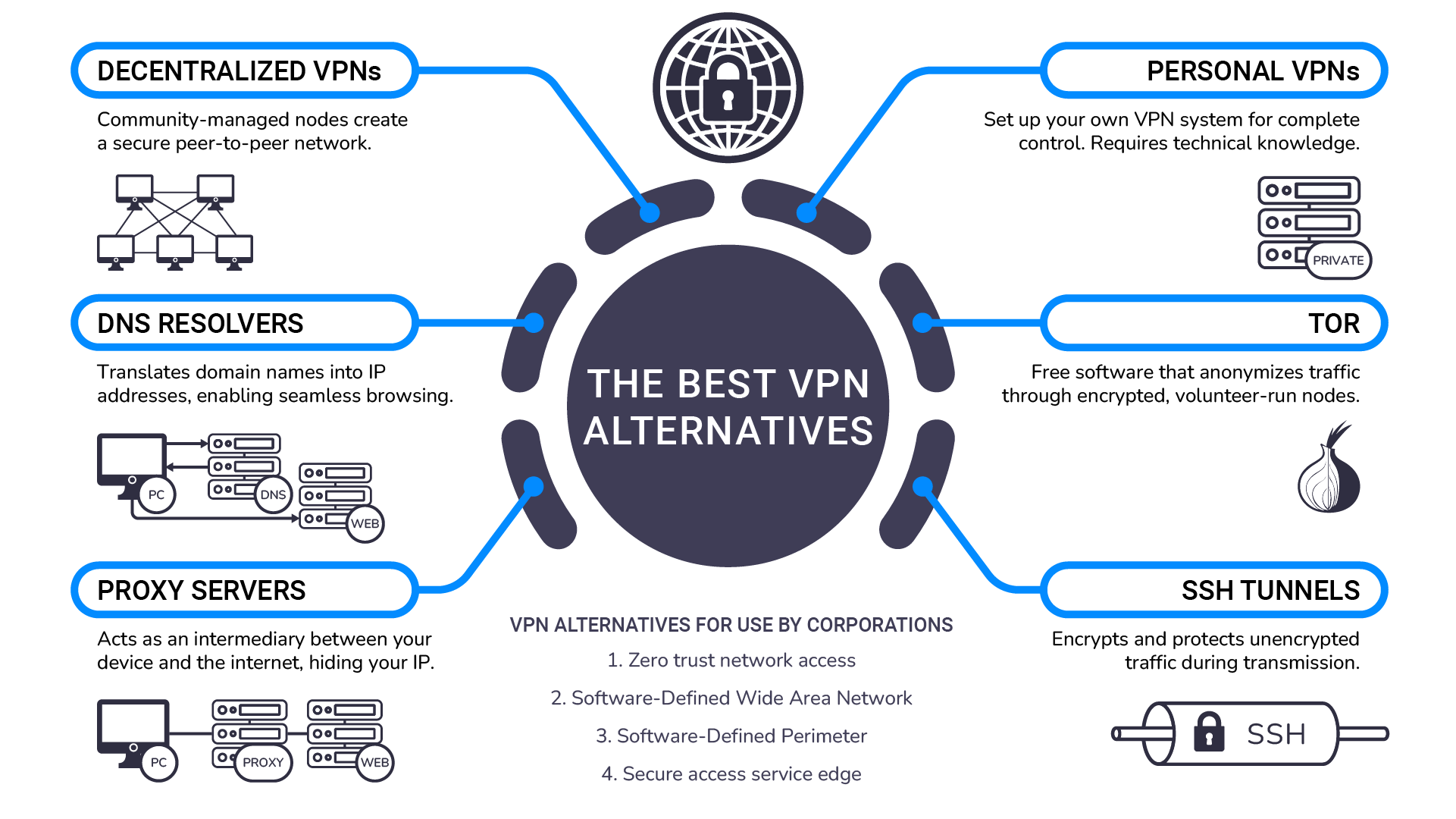
The clear drawbacks of VPNs mean many privacy-conscious users are seeking alternatives. In this section, we’ve compiled six that are the most compelling for everyday users. For each alternative, we’ll discuss the features, pros, cons, and potential use cases.
1. Decentralized VPNs
The decentralized VPN (dVPN) is a VPN built on a decentralized architecture that runs on community-driven nodes. Each node is a small, temporary server hosted by an individual or organization. Put together, the nodes form a peer-to-peer network.
When you connect to the dVPN, your traffic is sent directly to one of these thousands of nodes, meaning it never passes through the centralized servers of a VPN solution. Aside from offering better privacy, this also masks your IP address so it looks exactly the same as the residential node rather than that of the VPN provider.
Why is the dVPN a good VPN replacement?
The dVPN offers several advantages over a conventional VPN:
- Harder to track, block or censor: A dVPN disguises your IP as a regular residential or commercial IP address. This makes it considerably harder for third parties to track or block your connection.
- Log collecting is almost impossible from a technological standpoint: As dVPN traffic doesn’t pass through a centralized server, there’s no single point of control for the provider to collect your data. Usually, you have to rely on the word of the VPN provider that they don’t collect your logs. But dVPNs make this much more difficult.
- Resistance to censorship: Because there are hundreds of independent nodes in the peer-to-peer network, dVPNs can bypass government censorship and geographic content restrictions more easily than centralized VPN solutions.
These benefits are hard to ignore. If you want greater privacy and freedom from surveillance, dVPNs stand out as a clear choice over the VPN. They’re also excellent for bypassing geographic restrictions and maintaining anonymity without throttling your connection.
Are there any drawbacks to a dVPN?
Historically, the main problem with dVPNs was that they were tricky to set up. Users needed technical expertise and knowledge of blockchain technology to configure the node connections.
However, this drawback is becoming a non-issue. Many dVPN providers now allow you to connect to the service through an application, much like VPNs. This means that even users with no technical experience can easily access the benefits the dVPN offers.
Decentralized VPNs vs centralized VPNs: Which offers better security and privacy?
To reiterate why a dVPN might be the better choice for you, let’s sum up which is best for security and privacy.
| Feature | Centralized VPN | Decentralized VPN (dVPN) |
|---|---|---|
| Privacy | Offers good privacy, but third-parties can identify you’re using a VPN. | Offers excellent privacy. Much harder to track, block, or censor your connection. |
| Security | Traffic is encrypted, making data breaches difficult. However, a centralized structure creates a single point of vulnerability. | Traffic is encrypted, making data breaches difficult. No single point of failure, making it more difficult to attack the network. |
| No-logs policy | You have to rely on the VPN provider’s word that they don’t keep logs. | Collecting logs is much harder from a technological standpoint. |
| Accessing streaming services | If streaming services detect that you are using a VPN IP, they can block you from accessing the service. | dVPN IPs look the same as regular residential IPs, making it much harder to detect use of VPN. |
| Speed | A consistent speed, but passing through centralized servers used by many can significantly deteriorate connection quality and speed. | Speed varies depending on the peer network quality. |
| Scalability | Scaling is difficult as it depends entirely on the servers of the VPN provider. | Scaling is considerably easier - just add more nodes to the network. |
So, to answer the question: dVPNs are the superior choice for privacy and security. They offer better anonymity, a no-logs policy enforced by technology, and no single point of failure that is vulnerable to attackers. They’re the best option for those who want to get the benefits of a centralized VPN, without exposing themselves to the risks of centralization.
2. Personal VPNs
There’s also the option of setting up a VPN yourself. This is a more involved process that involves setting up your own system using an open-source VPN tunnel. Typically, you’ll begin by buying a hosted server service, such as DigitalOcean or Linode. These platforms offer virtual private servers (VPS) which can be rented monthly.
From there, you’ll install VPN server software on the hosted server. Popular options include OpenVPN or WireGuard. You’ll then configure the server’s settings, creating client profiles and generating encryption keys. Finally, once you’ve downloaded a VPN client, you can connect it to your server and establish your connection.
Opting for a personal VPN offers a few benefits over a conventional VPN when it comes to privacy. Specifically, you can configure the setup to meet your own security needs. As you own the server, you can control the data you see. Plus, as you have full control over your own data protocols, you can be certain you aren’t subject to third-party data logging.
However, personal VPNs require a great deal of technical expertise to establish. If you’re inexperienced and have no knowledge of the process, it’s a serious challenge to set up a personal VPN that matches the security offered by a centralized or decentralized provider. And, as your traffic still passes through the rented servers of the VPN server, you still won’t have total anonymity. The data that passes through the third party can be inspected and tracked.
There’s also a lack of flexibility. As you only have one IP, you’re limited to a single location. And if that IP gets blocked, your secure connection will come to an end.
3. DNS Resolvers
A Domain Name System (DNS) resolver translates readable domain names (like portalsvpn.com) into machine-readable IP addresses. Whenever you type a Uniform Resource Locator (URL, or web address in simple terms) of the website into a browser like Google Chrome, the DNS resolver sends a DNS query to the DNS server to find the IP address of the website address, enabling your connection. It should be noted that conventional DNS resolvers don’t encrypt or hide your traffic—they simply translate domain names to ISP addresses, leaving your online activities visible to ISPs and third parties.
Some privacy-focused DNS resolvers, like Cloudflare 1.1.1.1, provide enhanced security and privacy by encrypting these DNS requests. This hides the domain name-to-IP resolution from ISPs. However, it doesn’t encrypt the actual traffic between your device and the server. Intermediaries can still see where traffic is going, and if it isn’t end-to-end encrypted (such as via HTTPs), the traffic contents can still be intercepted and read.
Why is a DNS resolver a good VPN alternative?
A DNS resolver offers a select few advantages over VPNs:
- Faster performance: DNS resolvers are typically faster than VPNs because they only handle DNS requests. There’s no need to reroute your internet traffic through a centralized server.
- Free: Some popular and secure DNS resolvers, like Cloudflare’s 1.1.1.1, are free to use. With VPNs, many providers are ‘free’, but this often comes at the expense of selling user logs to turn a profit.
Where does a DNS resolver fall short?
Despite the benefits, DNS resolvers have some notable drawbacks. For a start, they don’t encrypt queries by default in most cases, yet some DNS resolvers provide this option in their settings. Keep in mind that even then it will only encrypt DNS queries - the actual data that is transferred between your device and the website or other service is visible to others if it’s not end-to-end encrypted. In addition, your ISP can still see the websites you visit through other methods, such as by examining what IPs you’re connecting to, your traffic patterns, and such. This also makes DNS resolvers rather ineffective at bypassing geo-restricted content, as these content blocks are usually executed by the streaming service which can still see your real IP and location.
In short, a DNS resolver is a bit like putting a bandaid on a deep cut. While it will protect you in some ways, it’s not effective enough to offer the full-scale privacy provided by a VPN or dVPN.
4. Tor
The Onion Router (Tor) is a free software that enables anonymous communication by routing traffic through a global volunteer-run network of servers, known as nodes. The traffic passes through multiple nodes on the way to its destination (known as multi-hop routing), with each node adding an extra layer of encryption to the traffic. Each node only knows the previous and following node in the chain. That makes it extremely difficult for entities to fully track your browsing activities.
Why is Tor a good VPN alternative?
There are a few reasons Tor is a viable alternative to the VPN.
- Better anonymity: Tor relies on a network of nodes rather than routing traffic through a single server like a VPN. As traffic passes through these nodes, this multi-layered encryption process makes it considerably harder for entities to track your activities.
- Free to use: Almost all trustworthy VPNs cost money. However, Tor is completely free, with no premium features locked behind a paywall.
- Decentralized network: Tor’s decentralized network makes it difficult to shut down. There’s no single point of failure. This decentralization also means it’s one of the best ways to bypass government censorship and access content in high-risk situations.
Where does Tor fall short? You may notice some similarities between the dVPN and Tor here. Both operate on a decentralized network and offer superior anonymity. However, Tor has some notable downsides over both the dVPN and VPN. Let’s take a closer look.
- Slow speeds: Tor is the slowest of all VPN solutions and alternatives. The network’s structure, wherein traffic passes through several nodes before reaching its destination, provides better anonymity at the trade-off of performance.
- Limited accessibility: Tor primarily provides security and privacy for web traffic within the Tor browser. It may not cover all of your internet activity if not configured properly, which might be technically challenging. It’s also not well-suited to downloading content due to its slow speeds.
- Not always anonymous: While Tor is generally excellent at keeping your traffic anonymous, it isn’t a perfect solution. In some cases, authorities can de-anonymize your traffic using advanced methods, such as timing analyses.
- Difficulty accessing specific content: Because Tor randomly selects exit nodes, you can’t choose a specific country to connect to. This makes it harder to access streaming content from a specific region.
- Tracking: Individuals who use Tor often become a target for surveillance from ISPs and governments because Tor is frequently used for illegal activity.
- Captchas: Using Tor often results in numerous captchas from Google and other services, as Tor is regularly flagged for suspicious or malicious activity.
- Service restrictions: Many services recognize and block Tor exit nodes, limiting access to certain websites or platforms.
Tor is perhaps the most misunderstood of all alternatives for VPN. While it’s excellent for anonymity, it simply isn’t a direct replacement for a VPN solution. It’s only useful in specific cases, such as when bypassing strict censorship or accessing restricted sites.
5. Proxies
Proxy servers are services that act as intermediaries between your device and the internet. Once you configure the proxy, all of your traffic will be routed through the proxy server. The proxy server then forwards the request to the destination, masking your IP address in the process.
It should be noted that many proxies don’t encrypt your traffic. They simply disguise your IP from web servers. This is useful for accessing geo-restricted content. However, it won’t make you anonymous and protect you from tracking. Some proxy servers, however, do offer encryption features to provide anonymity.
Are proxies a good VPN alternative?
For users that simply want to remain anonymous when connecting to web servers, proxies offer a few advantages over the VPN.
- Performance: Proxies have little impact on performance because they don’t encrypt traffic. This makes them much faster to use, and they also use few system resources.
- Accessing geo-restricted content: You can configure your browser to use a proxy server to connect to any country you like. While this isn’t necessarily easy as you need to find working proxy servers in different countries, it does mean you can access location-restricted websites and streaming services.
- Encryption: While not all proxy servers encrypt traffic, some do offer the feature. This makes you resilient against tracking from third parties.
Where do proxies fall short?
Proxy servers have several disadvantages over VPNs and other alternatives.
- Reliability: Proxy servers, especially free ones, can be unreliable. While performance is usually good, this can change if there are a lot of people on the network. VPNs typically have more resources and thus more consistent speeds.
- Data logging: As proxies store user IP addresses along with their web data, this in theory allows proxy providers to disclose or sell your data. While many proxy solutions won’t do this, it’s difficult to be certain.
- Technical expertise: Setting up your browser or other apps to use a proxy server might be challenging to some. It requires some technical knowledge and time to look for available public, free and operational proxy servers.
- Difficult configurations: To switch countries with a proxy, you’ll need to find a proxy server in the country you want to connect to. This takes time and can be technically challenging.
- Security flaws: Proxies are often free, meaning they’re more prone to data logging. They also lack a kill-switch, meaning that if the proxy connection fails, your real IP may be exposed without warning. Proxies also don’t usually encrypt DNS queries.
Proxies can be used as an alternative to VPN technology, but only in certain use cases, such as when accessing streaming content in different countries. They don’t always encrypt traffic, lack a kill switch, and are prone to data logging, meaning they aren’t a complete solution for security and privacy.
6. SSH Tunnels
Secure shell (SSH) tunnels are encrypted tunnels created using the SSH protocol. SSH tunneling involves transferring your traffic to a remote device via application ports, using encryption provided by the SSH protocol. This process encrypts and protects the traffic as it passes between these two endpoints.
In this sense, SSH is similar to a VPN. However, SSH tunnels are much more specific in their goal. They’re typically used when you want to securely transfer data from one device to another rather than encrypting all internet traffic on a device.
Are SSH tunnels better than VPN?
An SSH tunnel can be a good VPN replacement if you want to access remote servers, bypass a country firewall, or transfer files between systems. It does not encrypt all of your internet traffic, and it certainly isn’t ideal for high-performance activities like streaming.
However, for the use cases mentioned above, SSH tunnels do offer a selection of advantages over VPNs:
- Granular control: As you’ll typically construct an SSH tunnel manually, you can configure and fine-tune it to serve your specific needs, such as tunneling web traffic for one browser session or application.
- No reliance on third parties: SSH tunneling means you don’t need to rely on the service of a third party. You also don’t need to rely on the VPN provider’s word that they aren’t selling your data.
Where do SSH tunnels fall short?
The main problem with SSH tunnels is that they aren’t a genuine alternative to VPNs. They’re per-service, meaning they only cover a specific part of a network when a user requires it. In contrast, solutions like VPN and dVPN protect the entire device.
In addition, SSH tunnels have several other drawbacks:
- Challenging setup: Setting up an SSH requires some technical knowledge. It’s slightly simpler than manually setting up a VPN, but it isn’t plug-and-play like a conventional VPN or dVPN solution. For beginners looking for a simple solution, this isn’t a good option.
- Per-service tunneling: SSH tunnels usually only protect one application, browser, or service at a time. If you want complete device protection without worrying about it, SSH tunneling isn’t the right choice.
- Lack of anonymity: An SSH is usually used for security, not privacy. It doesn’t mask your IP address by default unless you specifically configure it to do so.
- Limited use cases: SSH only supports TCP traffic, which limits its usefulness for applications that require UDP, such as gaming, video streaming, and VoIP services like Zoom or Skype.
- No kill switch: As with proxies, SSH tunnels don’t have a kill switch.
We don’t recommend SSH tunnels unless you know what you’re doing. They’re difficult to setup, have limited use cases, and don’t protect your entire device. That said, if you’re technically experienced, they do offer the granular control, meaning you can configure them based on your requirements.
VPN alternatives for use by corporations
Finally, we have the highly-specific alternatives to a VPN that are useful for corporations. We’re yet to cover these solutions because they aren’t applicable to the everyday internet user.
However, if you’re searching for a VPN alternative for use in a business network, these solutions are a useful way to achieve privacy and anonymity for your organization.
Zero Trust Network Access (ZTNA)
Zero Trust Network Access (ZTNA) is a security framework that enforces identity and context based access controls. It requires all users and devices to authenticate and verify their identity before accessing a network resource. Even if a user or device is authenticated, ZTNA operates under the assumption that no entity is inherently trustworthy and could be compromised.
ZTNA is a comprehensive security approach that aligns with the Zero Trust principle: “Never trust, always verify”. While ZTNA doesn’t directly handle encryption or IP address changes, ZTNA implementations typically work alongside encrypted connections like TLS. Its primary focus is on controlling access to resources based on user identity, device posture, and other contextual factors to protect business data from unauthorized access, use, or disclosure. If that’s all your corporation needs, this can be a solid choice.
Software-Defined Wide Area Network (SD-WAN)
SD-WAN is a software-defined networking architecture that optimizes traffic routing across wide area networks. It simplifies network management and enhances performance by dynamically directing traffic through the best available path, such as MPLS, broadband, LTE, or satellite links. SD-WAN often supports encryption for secure communication between locations, making it especially useful for managing distributed data stores, remote servers, and branch offices across multiple sites.
While SD-WAN functions differently from a VPN, it does offer robust privacy and security features for organizations. SD-WAN often integrates encryption (such as IPsec) to secure data in transit between sites, but this encryption is not inherent to all SD-WAN implementations—it depends on the specific vendor and deployment. The main drawback is that it requires SD-WAN-compatible devices to function, so this is only useful for your organization if you adopt it as part of a larger strategy.
Software-Defined Perimeter (SDP)
An SDP is a security framework that creates a network boundary based on software rather than hardware. It operates on zero-trust principles, requiring dynamic, identity-based authentication for secure communication. This approach effectively hides resources from unauthorized users, leaving no exposed attack surfaces visible to potential attackers. Think of it as installing virtual barbed-wire fences around your data using Software-Defined Networking (SDN) principles to enforce strict access controls.
Building several SDPs allows companies to segment their sensitive data based on its value. They can create rules and deploy access controls for each layer, ensuring that only authorized personnel with a legitimate entry reason can access data at a given time. This makes an SDP an excellent way to isolate and mitigate potential threats before they cause further damage.
Secure Access Service Edge (SASE)
SASE (Secure Access Service Edge) is a cloud-native architecture that unifies several of the above solutions, such as SD-WAN and ZTNA. It creates a single service with network and security functions, integrating traffic encryption, threat detection, and policy enforcement into a unified cloud-native service. This allows a company to view and control its entire network in one place.
While SASE isn’t a direct VPN alternative, it often includes VPN-like capabilities, such as IP masking and encryption as part of its broader framework. It offers a comprehensive solution for organizations looking to monitor and enforce access controls across an entire network. For organizations that want control over internal and external threats, SASE is perhaps the most comprehensive way to achieve that.
Maintaining centralized VPN benefits without using one
Deciding to replace VPN with an alternative can be daunting. After all, centralized VPNs, regardless of their limitations, do offer a lot of perks, such as easy setup, simpler access to geo-restricted content, and protection across the entire device.
If you’d like to maintain the benefits without using a dVPN or centralized VPN, there are several methods to do so:
- Browse in incognito mode: Incognito won’t prevent your IP address from being tracked. However, it will limit data retention and prevent files, like browsing history and cookies, from being saved locally. This will limit tracking by local devices and shared users.
- Ad blockers: Once again, an ad blocker does little to protect you from IP tracking, but it will prevent your data from being collected by ad networks.
- Cookie consent: Websites always ask users for consent to track cookies. Opting out of this optional tracking will prevent websites from collecting data on your browsing habits.
- Public libraries: Public libraries may not be the most convenient way to achieve privacy, but they can be a good alternative when researching sensitive topics. That said, these libraries almost always have cameras, so it isn’t a safe way to remain anonymous.
- Built-in firewalls: Configuring a device firewall can block unwanted inbound traffic, providing protection against unauthorized access or network-based threats. While this won’t mask your IP, it adds a layer of defense against potential attacks.
None of these methods truly replace the use case of a VPN, but they will help you achieve some level of security and privacy if you’d rather not use tools.
That said, if you truly want to keep all of the benefits of the VPN while achieving superior privacy and security, opt for a dVPN. This technology provides superior anonymity, making it harder to track, block or censor you. It also offers privacy by default with a technology assured no-logs policy. In short, they’re better than centralized VPN across almost every touchpoint.
The main reason many customers use VPNs is that they’re easy to set up and encrypt the device connection with no further configuration. Most customers would ideally like to retain that benefit when they switch to alternatives. But here’s the problem. Without the required experience, you’ll struggle to establish an SSH tunnel or personal VPN. In addition, Tor, proxies, and DNS resolvers are only useful for specific tasks.
As such, the best way to get maximum privacy and security across your device while maintaining the accessibility of the VPN is by switching to a dVPN. And with dVPNs becoming easy to set up just like their centralized counterparts, there’s never been a better time to make the switch.